Async vs Synchronous Communication: When To Chat, Comment, Or Call

Fluorine
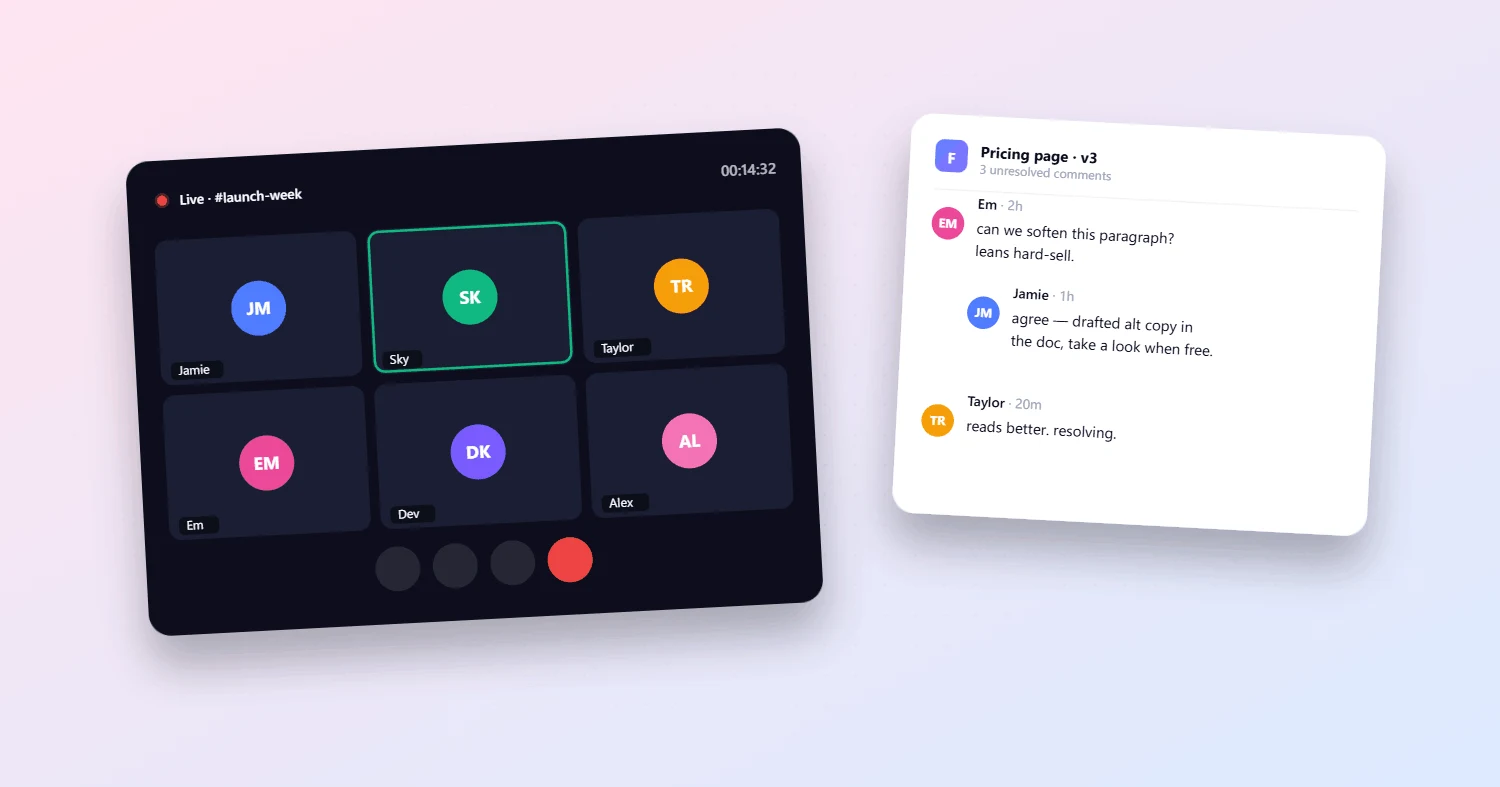
Startup teams are constantly challenged to find the right balance between too many meetings and too much chat. Choosing the right way to communicate is often the difference between moving work forward and getting bogged down in unnecessary friction. As remote work and flexible schedules become standard—65% of tech startups operated entirely remotely in 2024 (gitnux.org)—knowing when to chat, comment, or call is crucial for effective team communication.
Understanding which communication mode fits each scenario helps teams stay nimble, reduce distractions, and keep projects on track. This article breaks down the real-world differences between asynchronous communication and synchronous communication, showing how high-performing teams make these decisions—and how the right tools can make all the difference.
What’s the Real Difference? Async vs Synchronous Communication in Practice
Think of asynchronous communication as sending a message in a bottle: you write it, send it, and the recipient reads and responds when they’re ready. Email, project management comments, or recorded video updates all fall into this category, enabling flexibility and deep work. In contrast, synchronous communication is like a live conversation—everyone is present at the same time, whether in person, on a call, or in a group chat. This approach enables immediate feedback and quick alignment but often requires coordinating schedules.
Async tools empower teams to collaborate across time zones and support varying work styles without sacrificing speed or clarity. A 2025 industry survey found that 84% of business leaders and 72% of knowledge workers now rely on asynchronous methods (medium.com).
Balancing these approaches is key; too much reliance on real-time tools can lead to burnout, while too little may slow critical decisions. When these approaches are combined in a centralized workspace for tasks and communication, such as Fluorine’s all-in-one platform, teams can stay connected and productive no matter where they are.
When to Use Chat: Quick Unblockers and Clarifications
It’s a common scenario: you need a fast answer or a quick resource to move a task forward, but you don’t want to interrupt a teammate’s focus. Chat is best suited for brief updates, clarifications, or sharing links—anything that can be resolved quickly and doesn’t require deep context.
Teams should establish clear guidelines for chat use, such as reserving chat for non-critical updates and keeping conversations focused in dedicated channels. However, overusing chat can backfire. A 2023 survey found that 56% of remote teams struggle to locate information due to scattered chat threads, which can actually hinder productivity (unsolomind.com).
That’s why it’s vital to keep chats concise and, whenever possible, link the conversation back to the relevant task or project within your all in one task management and communication platform. This practice keeps everyone focused and reduces the risk of important details getting lost.
When to Use Comments: Decisions, Approvals, and Persistent Context
Comments in project management tools aren’t just a digital sticky note—they’re a critical part of startup team communication strategies. When a decision needs to be logged, an approval is needed, or important context must persist with the work itself, comments are the way to go.
Centralized comments provide a transparent, lasting record for teams working asynchronously. Persistent comments not only ensure accountability but also support inclusivity by allowing all team members—regardless of location or schedule—to contribute equally.
A 2024 study found that teams using centralized comments and persistent threads saw a 32% faster feature release rate (moldstud.com). By keeping relevant discussions attached to specific tasks in your Fluorine features overview, teams maintain clarity and accountability—even as members come and go or work at different times.
When to Use Calls: High-Stakes, Sensitive, or Complex Alignment
Not everything can be handled in a message or a thread. When decisions are high-stakes, topics are sensitive, or when alignment would take dozens of back-and-forth chats, it’s time to schedule a call. Calls excel at brainstorming, resolving misunderstandings, or addressing challenges that demand everyone’s full attention.
Research shows that platforms offering asynchronous ideation and decision tracking can accelerate product launches by 29%, but certain conversations still require real-time interaction (moldstud.com). Limit calls to only those participants whose insights are essential, which helps keep discussions focused and respects everyone’s time.
For more on structuring effective calls and minimizing meeting fatigue, visit the support and resources page.
The Team Rule Set: Simple Policies for Smarter Communication
Establishing a simple rule set helps teams know exactly when to chat, comment, or call. Here’s a step-by-step framework many high-performing teams adopt:
If it changes scope, it goes on the task: Use your project tool to update the task directly.
If it needs a decision log, it’s a comment thread: Keep important decisions visible and attached to the work.
If it blocks more than 2 people, schedule a short call: Don’t let bottlenecks linger—bring the right people together quickly.
Such clear, simple policies reduce decision fatigue and make it easier for new team members to adopt best practices from day one. Teams using centralized comments and persistent threads have been shown to release features 32% faster (moldstud.com).
For a tour of how these rules look inside a real all-in-one workspace, check out the Fluorine features overview.
Real-World Examples: How Leading Teams Balance Chat, Comments, and Calls
Leading remote-first companies demonstrate how balancing communication modes pays off:
GitLab relies on asynchronous documentation and project tools, reducing the need for real-time meetings and enabling employees to work flexibly across 65 countries.
Zapier emphasizes written updates and minimal meetings, improving productivity and allowing deep work.
Buffer uses persistent comments and occasional synchronous check-ins to maintain engagement and clarity.
Gumroad operates with an “async-only” policy, using tools like GitHub and Slack with clear expectations for response times.
Mibo, despite building synchronous tools, organized its own internal work asynchronously—raising €1 million in funding while maintaining team flexibility.
For startup teams looking to implement more advanced collaboration patterns, explore advanced features.
Expert Insights: Avoiding Communication Overload and Fatigue
Industry experts warn that too many meetings or unchecked chat can lead to burnout and confusion. Marc Gasser, RevOps strategist, notes, “It’s a balancing act between asynchronous and synchronous communication.” Meanwhile, Darren Murph, Head of Remote at GitLab, advises, “Asynchronous communication should be most organizations’ default way of communicating—with some strategic in-person events thrown in.”
Jodie Cook, Forbes contributor, notes, “Companies and individuals are embracing asynchronous communication to take control of their day, concentrate better, get more done and avoid being booked solidly at the expense of real work.”
The right balance reduces meeting fatigue and increases team clarity.
For a deeper dive on communication best practices, visit the help center.
Bringing It All Together: Smarter Communication With Fluorine
The right mix of asynchronous communication and synchronous communication enables startup teams to work smarter, not harder. By combining chat, comments, and calls in a unified platform like Fluorine, teams get more done with less friction. That’s why more than 1,200 teams trust Fluorine, reporting a 94% customer satisfaction rate and a 28% increase in productivity.
Fluorine also offers a mobile app, so founders and teams can manage projects and collaborate on the go.
To see how an all in one task management and communication platform can improve your team’s collaboration, or to explore advanced features for your next stage of growth, visit Fluorine today.
References
Gusto. (2024). State of Remote Work. jssrp.org.pk/index.php/jssrp/article/download/57/58?utm_source=openai
Remote and Hybrid Work in the Technology Industry Statistics. (2024). gitnux.org/remote-and-hybrid-work-in-the-technology-industry-statistics/?utm_source=openai
Why 84% of Leaders Are Ditching Real-Time for Flexibility. (2023). medium.com/kumospace/why-84-of-leaders-are-ditching-real-time-for-flexibility-e2becaddc84d?utm_source=openai
7 Challenges in Async Communication and Solutions. (2023). unsolomind.com/blog/7-challenges-in-async-communication-and-solutions?utm_source=openai
How Effective Communication Drives Success in Software Development Startups. (2024). moldstud.com/articles/p-how-effective-communication-drives-success-in-software-development-startups?utm_source=openai
The Future of Team Collaboration Software in a Remote World: Trends, Tools, and Innovations. (2024). moldstud.com/articles/p-the-future-of-team-collaboration-software-in-a-remote-world-trends-tools-and-innovations?utm_source=openai
Related topics
You may also like
Discover more articles that expand on similar ideas and themes




Stop switching tabs. Start actually shipping.
Fluorine replaces the stack your team already pays for. Add AI that does the work no one has time for. Start your free trial today.