Task Management for Mac, Linux, and Mobile: Keeping Work Moving Across Devices

Fluorine
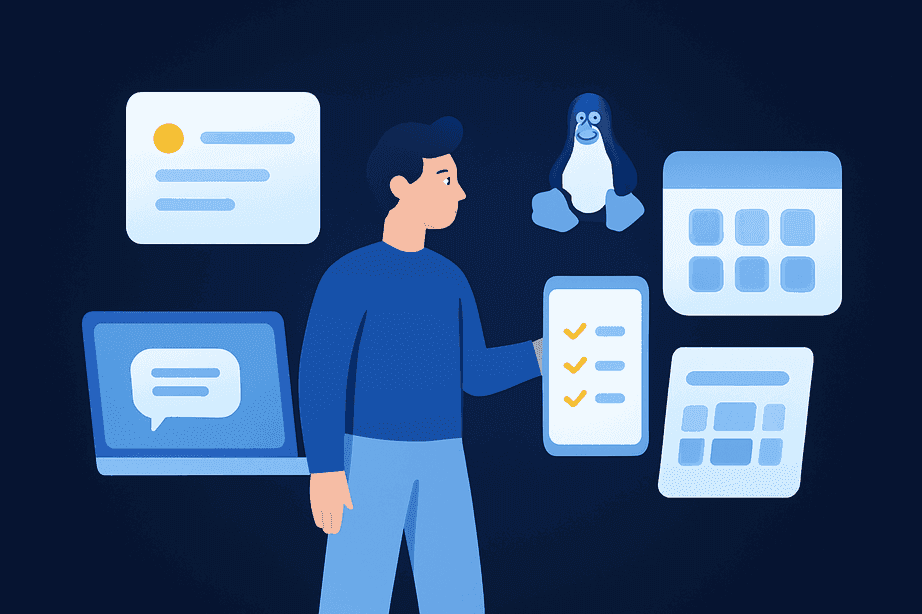
Today’s teams rely on more than just a single device or operating system to keep projects on track. Ensuring that every update, note, and priority is always accessible—whether you’re on a Mac at the office, a Linux laptop at home, or your phone in between—has become a core requirement for startups and small teams. The explosion of productivity tools and the shift to hybrid work have made cross-platform task management software indispensable. Professionals using synchronized task management solutions save an average of 15% of their time each week, according to recent studies (moldstud.com).
If you’re looking to unify your tasks and keep your team aligned, solutions like Fluorine’s iOS app and web platform offer a single workspace for everything from project plans to real-time chat.
TL;DR / Key takeaways
Cross-device consistency helps teams avoid missed updates and prevent manual rework.
A strong desktop workflow supports fast task entry, clear project views, and synced updates.
Mobile task management works best when it supports quick check-ins without constant interruptions.
Simple notification rules and a single workspace structure reduce tool sprawl and confusion.
Why Cross-Device Consistency Matters for Modern Teams
Imagine a founder updating tasks on their Mac, only for a teammate to check their phone later and miss a crucial update because the tools don’t sync. This scenario is common in teams using disconnected apps or manual tracking methods, resulting in missed deadlines, confusion, and lost productivity.
For example, a distributed software company saw a 40% reduction in project delivery time and a 50% boost in meeting deadlines after adopting a unified task management system across all devices. In fact, teams using integrated task management systems report a 12.1% increase in their ability to estimate projects accurately, and a 29% reduction in missed project deadlines (reclaim.ai; marketgrowthreports.com).
Consistent cross-device task management can mean the difference between seamless collaboration and costly errors.
Fragmented workflows often introduce technical challenges that make maintaining consistency across platforms difficult. By adopting a unified solution that synchronizes tasks across Mac, Linux, and mobile, teams avoid these pitfalls and free up time for real work.
It’s no surprise that over 312 million users adopted task management platforms in 2026 alone (amraandelma.com).
What a Good Desktop Workflow Should Support
To keep teams efficient, a good desktop workflow must do more than display a list of tasks. It should enable fast navigation, instant task creation, clear project views, and real-time comments—all while making sure every change is instantly reflected across devices.
With 79% of task management deployments now cloud-based (amraandelma.com), the expectation is that updates made on Mac or Linux desktops sync consistently with a team’s mobile devices.
Here’s what a modern desktop setup should deliver:
Quick task input: Capture ideas or assign work without friction.
Clear project dashboards: See everything at a glance, with filters for urgency or ownership.
Reliable syncing: Every update, no matter where it’s made, is reflected everywhere—critical for distributed teams.
Integrated communication: Comment on tasks, share files, or clarify blockers without leaving the workspace.
Teams often rely on platforms such as Todoist, TickTick, or Joplin to meet these needs. If desktop is your team’s primary mode, choosing a cloud-first solution like Fluorine’s desktop and mobile apps keeps your workflows aligned—no matter who’s online or on the go.
Choosing Cross-Platform Task Management Software (A Quick Checklist)
If you’re trying to pick a cross-platform task management app that works for a mixed setup (Mac in the office, Linux at home, iOS on the go), it helps to focus on the workflow basics you’ll use every day—not just feature lists.
Same source of truth across devices: Tasks and updates should live in one place, rather than split between chat, email, and a separate task tracker.
Desktop speed for planning: Look for quick task creation, clear project views, and real-time comments that don’t slow down day-to-day work.
Mobile support for quick actions: Priorities, comments, and new tasks should be easy to handle on a phone during short windows (without turning the app into a constant distraction).
Built-in communication where it matters: Teams move faster when context lives with the task. If you’re thinking about consolidating tools, see why centralizing tasks, communication, and collaboration in one workspace helps teams move faster.
Mobile Workflows That Keep Teams Responsive (Without Burnout)
How should mobile task management fit into your team’s workflow?
With over 48% of users now using smartphones or tablets as their main way to access task apps (marketgrowthreports.com), the mobile experience is no longer a side feature—it’s essential. The best mobile task management tools make it easy to check priorities, reply to comments, capture quick tasks, and handle blockers, all without overwhelming users with notifications or complex planning screens.
Mobile apps generated 38.5% of all task updates and notifications in 2025 (marketgrowthreports.com). This is evident in real-world settings such as healthcare, where a hospital’s mobile task app improved response times for urgent tasks and enabled better team coordination.
For privacy or offline access, power users may prefer apps such as Joplin or Taskwarrior. To dive deeper into mobile best practices, see our guide on "Managing Tasks On The Go: How Mobile Task Management Keeps Teams In Sync".
A Morning Mobile Check (2 Minutes)
A simple two-minute scan of your mobile task list each morning can help you spot urgent deadlines and flag new assignments before your day gets busy. In environments like hospitals and distributed teams, such quick check-ins have been shown to save valuable time and reduce missed updates (moldstud.com).
Quick morning check-ins are a best practice endorsed in digital workplace productivity guides.
A “Between Meetings” Update Habit
Establishing a habit of reviewing and updating tasks between meetings can drastically reduce the risk of missed assignments.
Micro-updates taken during short breaks have been linked to lower rates of missed deadlines and smoother handoffs among team members, especially in fast-paced environments.
Notifications and Updates Across Devices (Simple Rules)
It’s easy to drown in notifications when every project tool is pinging you at once. The average professional uses 8–12 different productivity tools per day, with 42% of teams spending 15+ minutes refocusing between apps (producti.io).
“Refrain from multitasking. By focusing on one task at a time, you can achieve more and feel more fulfilled,” advises Deepak Chopra.
This notification overload can become a silent productivity killer. Expert advice is clear: set up notification rules that only alert you to blockers, assignments, and deadline changes.
Everything else should be reviewed during scheduled focus windows. For more on building notification hygiene, check out "Notification Hygiene: How to Use Real Time Updates Without Constant Interruptions".
Setup Tips: One Workspace and Clear Structure
Bringing all your tasks, projects, and conversations into one workspace is the single most effective way to avoid duplication and confusion. Here’s a step-by-step approach for teams looking to build a reliable system:
Create a single source of truth: Choose a platform that works across Mac, Linux, and mobile—preferably one with syncing and cloud support.
Standardize naming and status conventions: Consistency helps everyone know what’s urgent, what’s in progress, and what’s done.
Schedule a weekly planning view: Review tasks, update statuses, and reassign as needed.
Onboard every team member: Structured onboarding and clear documentation can boost team efficiency by as much as 72% (gitnux.org).
Focus on data quality: Make sure every task is assigned an owner and deadline to keep things from falling through the cracks.
Look for platforms that support interoperability and data portability to prevent vendor lock-in and enable integration with your existing tools.
For more detailed strategies, see our post on "How To Organize Tasks And Communication In One Workspace".
Closing: Start Small, Then Expand
The best way to master cross-device task management isn’t to overhaul everything at once. Start with one team and one project—test your workflows, adjust where needed, and expand as you build momentum.
Remember, investing in onboarding and documentation as your team grows will help maintain efficiency at scale. With over 312 million active users and satisfaction scores above 4 out of 5 for leading platforms, there’s never been a better time to try unified, cloud-based tools for your team (amraandelma.com; research.com).
Curious how it could work for your team? Download Fluorine and give it a try on your next real project. If you want to review options first, you can look at Fluorine’s pricing.
Frequently Asked Questions
What does cross-platform task management mean?
In practice, it means your tasks, updates, and comments stay available whether someone is working on a desktop (like Mac or Linux) or checking in from a phone. The goal is to avoid gaps where one person updates a task in one place and someone else never sees it.
Do Mac and Linux teams need the same app to stay aligned?
They don’t need identical devices, but they do need one shared workspace where task updates sync across platforms. That’s the difference between a task manager for Mac and Linux that works for the whole team and a setup where tasks get copied between tools.
How can teams use mobile task management without burning out?
Keep mobile usage focused on quick actions: checking priorities, replying to task comments, capturing a new task, or unblocking someone. The article’s examples (like a short morning check and between-meetings updates) are good models because they keep mobile helpful without turning it into nonstop work.
What notification rules actually help across devices?
A simple approach is to only allow alerts for blockers, assignments, and deadline changes, then review everything else during planned focus windows. This cuts down on context switching while still keeping the team responsive when something truly changes.
What should we standardize when setting up one workspace?
Start with naming and status conventions, then make sure every task has an owner and deadline. That structure supports cross-device task management because it reduces ambiguity when people jump between desktop and mobile throughout the day.
References
Amra & Elma. (2025). Task Platform Marketing Statistics. https://www.amraandelma.com/task-platform-marketing-statistics/
Gitnux. (2024). Digital Workplace Statistics. https://gitnux.org/digital-workplace-statistics/
Market Growth Reports. (2025). Task Management Software Market. https://www.marketgrowthreports.com/market-reports/task-management-software-market-106919/
Moldstud. (2024). Enhancing Productivity with Mobile Task Management Apps. https://moldstud.com/articles/p-enhancing-productivity-with-mobile-task-management-apps/
Producti.io. (2025). Productivity Tools Comparison. https://producti.io/blog/productivity-tools-comparison-2025/
Reclaim.ai. (2024). Task Management Trends Report. https://reclaim.ai/blog/task-management-trends-report/
Research.com. (2024). Cloud-Based Task Management Software. https://research.com/software/cloud-based-task-management-software/
Related topics
You may also like
Discover more articles that expand on similar ideas and themes




Stop switching tabs. Start actually shipping.
Fluorine replaces the stack your team already pays for. Add AI that does the work no one has time for. Start your free trial today.