Managing Tasks On The Go: How Mobile Task Management Keeps Teams In Sync

Fluorine
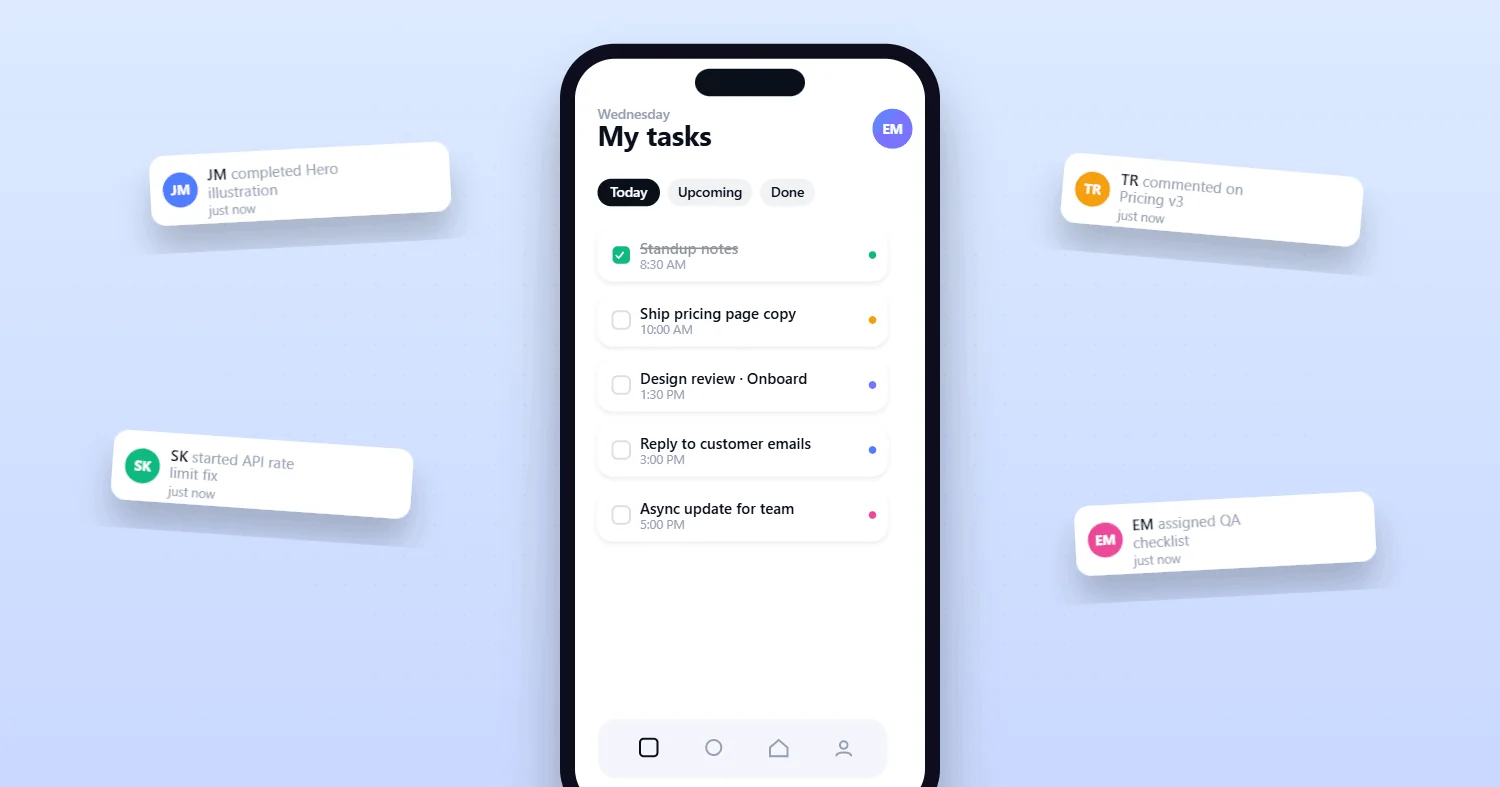
The shift to distributed and hybrid work has made Mobile Task Management a foundation of startup productivity. For founders and small teams, rapid progress depends on the ability to review, update, and act on tasks from anywhere—whether racing between meetings or working remotely. In today's digital environment, adopting mobile-first task management tools is not just beneficial but essential for startups aiming to maintain agility and competitiveness.
Recent data supports this transformation: as of 2025, 67% of organizations have adopted mobile-first workplace applications, a number that reflects the critical role of mobile accessibility in modern business operations.
This shift is especially pronounced among startups and distributed teams, where momentum relies on keeping everyone in sync—no matter where they are.
What Teams Actually Need from Mobile Task Management (Not Just a Desktop Clone)
For startups and fast-moving teams, a mobile task app must do more than shrink the desktop experience. The real value comes from workflows and features built for on-the-go clarity and speed. As one industry expert put it, "In today's digital environment, adopting mobile-first task management tools is not just beneficial but essential for startups aiming to maintain agility and competitiveness."
Here’s what a true mobile-first solution delivers:
Task Creation and Assignment: Instantly capture ideas and delegate next steps, ensuring nothing slips through the cracks.
Collaboration Tools: Built-in comments, attachments, and shared lists keep everyone connected on the move.
Integration Capabilities: Sync with calendars, communication apps, and files for a unified workflow.
Notification Management: Customizable alerts help teams stay focused without distraction overload.
Mobile Accessibility: Quick access anywhere, supporting real-time updates and accountability.
It's also important to avoid feature overload—many teams use only a fraction of their task management tools' capabilities, which can lead to frustration and poor adoption.
According to research, the task management software market for small businesses was valued at USD 4.23 billion in 2024 and is projected to reach USD 12.34 billion by 2031, reflecting a strong CAGR of 14.3%.
For teams looking to streamline their work, an all in one task management and communication platform like Fluorine is built to deliver these essentials.
If you want mobile in your workflow, download the Fluorine app and see how quickly you can act on projects wherever you are.
Review Priorities Quickly, Comment, and Unblock: The Core Mobile Actions
Here’s how a mobile workflow keeps tasks moving—even when you’re not at your desk:
Review Priorities: Open your app each morning to check the top three tasks or project blockers needing attention. Increasingly, AI-driven tools help teams automatically surface and prioritize the most urgent tasks, streamlining decision-making even further.
Comment and Approve: Use built-in chat or comment threads to clarify, approve, or unblock work without extra meetings.
Create Quick Tasks from Messages: Convert feedback and ideas from team chats directly into actionable tasks.
See Deadlines and Changes Instantly: Get notified of changes, due dates, and ownership shifts for real-time awareness.
Adoption of mobile-centric tools is now mainstream: in 2024, 79% of small businesses reported using cloud-based tools—many of which include mobile task management features. Companies implementing automation and mobile task management have seen productivity rise by 42% and customer engagement increase by 30%.
For details on these workflows, check the Fluorine features overview.
The Notification Problem: How to Avoid Overload and Stay Focused
Why do so many teams struggle with notification fatigue? Information overload, particularly from excessive notifications, can significantly hinder employee productivity and well-being. A recent study found employees spend 20% of their work time searching for information—often as a result of overwhelming, poorly managed notifications.
Smart notification management is vital. Only notify for ownership changes, due dates, or blockers—everything else can be digested in a daily or weekly summary. Platforms that allow you to customize notification preferences empower teams to stay focused, reducing distractions and boosting output.
Establishing a clear mobile workforce policy can also help everyone know what notifications to expect—and when.
For more on setting up notifications, see support and resources.
Mobile Routines That Keep Teams Aligned: Morning, Midday, and End-of-Day
Routine check-ins and structured workflows are proven to keep teams aligned and reduce unnecessary meetings. A 2024 survey by Owl Labs revealed that 59% of founders with fewer than 50 employees have already downsized real estate expenses by transitioning teams to digital-first workflows—a move that improves alignment and operational efficiency.
Such routines also reduce the risk of teams working in disconnected systems, which can limit visibility and hinder business insights.
Visual Comparison: Mobile Routines
Morning "Top 3" Review:
RoutineImpactMorning reviewPrioritizes most urgent work, avoids wasted effort
Midday Unblock Pass:
RoutineImpactMidday check-inIdentifies and removes roadblocks early
End-of-Day Closeout:
RoutineImpactEnd-of-day reviewEnsures nothing is missed, preps for tomorrow
These routines, when supported by mobile task management, can be integrated into the way you manage your team in Fluorine.
Real-World Proof: How Mobile Task Management Transforms Teams
Case studies from across industries show the measurable impact of mobile task management:
Productivity Gains: Companies using mobile-first, cloud-based tools have seen up to 42% higher productivity and 30% more customer engagement.
Team Satisfaction: Teams report streamlined communication, fewer meetings, and improved satisfaction after switching to digital-first workflows.
Operational Efficiency: Small businesses have reduced operational overhead and improved alignment through digital task routines.
Modern task management tools also offer robust dashboards and data visualization, making it simpler to spot and address issues early.
For more ways to leverage these benefits, explore core task and collaboration features.
Security, Policy, and the Risks of Going Mobile
Security is as crucial as productivity—especially for startups leveraging mobile task management. As startups increasingly adopt mobile tools, it's important to implement security measures to protect sensitive data and maintain compliance with industry regulations.
Over 40% of mobile workers use public Wi-Fi networks, increasing cybersecurity risks, and 82% of organizations plan to implement or upgrade mobile device management solutions to address these risks.
Avoiding vague or poorly communicated policies is key, as regular reviews and training help maintain compliance and engagement.
Best practices include clear device use policies, passwordless authentication, and regular policy reviews.
For advanced security workflows, see advanced features.
Where Fluorine Fits: All-in-One Mobile Task Management for Startups
Startups and small teams need a solution that fits their pace and style. With download the Fluorine app, you get a mobile-first workspace built for real-time updates, instant notifications, and communication.
Fluorine’s all-in-one approach means everything—tasks, chat, feedback, analytics—is in one place, with workflows optimized for on-the-go teams. More than 1,200 teams rely on Fluorine, citing a 94% customer satisfaction rate and a 28% increase in team productivity.
For pricing details and to find the right plan for your team, review Fluorine pricing.
FAQs: Mobile Task Management for Startup Teams
What are the best mobile task management apps for startups?
Effective options include tools like Todoist, Trello, and Asana, all offering mobile-first features and flexible collaboration. For a solution built specifically for startups, setup and usage guide for Fluorine.
How do mobile task management apps integrate with other productivity tools?
Most allow for calendar sync, file attachments, and messaging app integrations to streamline workflows.
Are there free tools for startups?
Yes—many platforms, including Trello and Todoist, offer free tiers suitable for small teams, though advanced features may require paid plans.
Keep in mind that entry-level solutions may be less scalable or have limited integration options as your team grows.
How can notification overload be managed?
Look for apps with customizable notification settings and encourage teams to use summary digests for non-urgent updates.
References
SecondTalent. (2025). The Future of Work: Workplace Statistics. https://www.secondtalent.com/resources/future-of-work-workplace-statistics/?utm_source=openai
Research.com. (2024). Task Management Software for Small Business. https://research.com/software/task-management-software-for-small-business?utm_source=openai
KnowFireRisk. (2025). The State of Small Business Technology in 2025: Key Statistics & Adoption Rates. https://www.knowfirerisk.com/blog/details/the-state-of-small-business-technology-in-2025-key-statistics-adoption-rates?utm_source=openai
SuperAGI. (2025). AI-Powered Team Communication: How Mobile-First Design and Automation Are Revolutionizing Workplaces. https://superagi.com/ai-powered-team-communication-how-mobile-first-design-and-automation-are-revolutionizing-workplaces/?utm_source=openai
MoldStud. (2024). Why Location Isn’t as Important as You Think: The Rise of Remote Teams in Startups. https://moldstud.com/articles/p-why-location-isnt-as-important-as-you-think-the-rise-of-remote-teams-in-startups?utm_source=openai
Gitnux. (2025). Mobile Workforce Statistics. https://gitnux.org/mobile-workforce-statistics/?utm_source=openai
Related topics
You may also like
Discover more articles that expand on similar ideas and themes




Stop switching tabs. Start actually shipping.
Fluorine replaces the stack your team already pays for. Add AI that does the work no one has time for. Start your free trial today.